
[align=center]
السلام عليكم و رحمة الله و بركاته
المثال بالصور
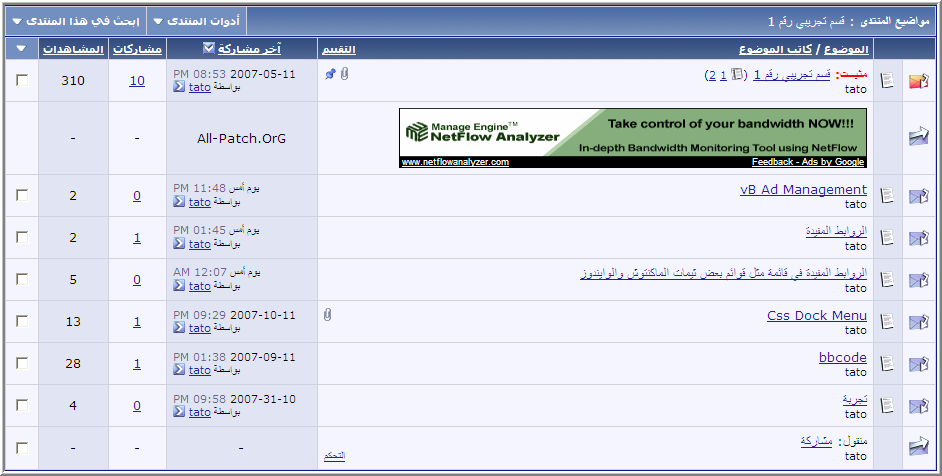
--- اعلى المواضيع المثبثة كما بمنتدانا
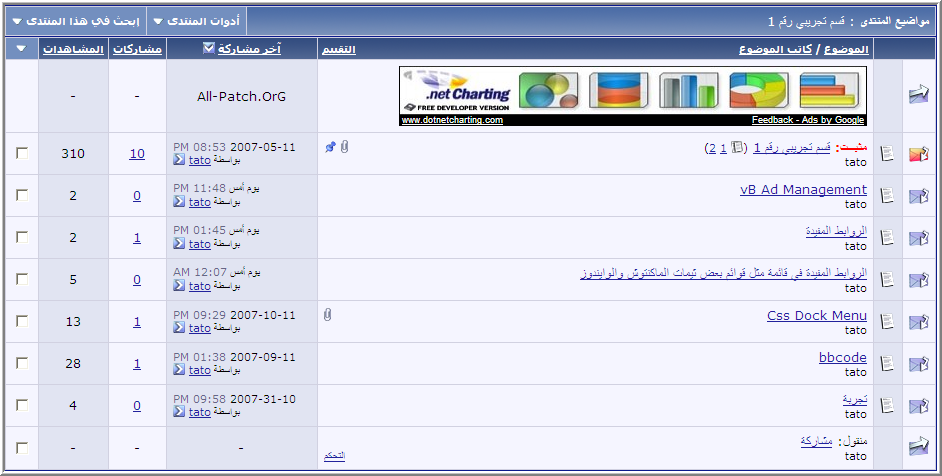
--- اسفل المواضيع المثبثة
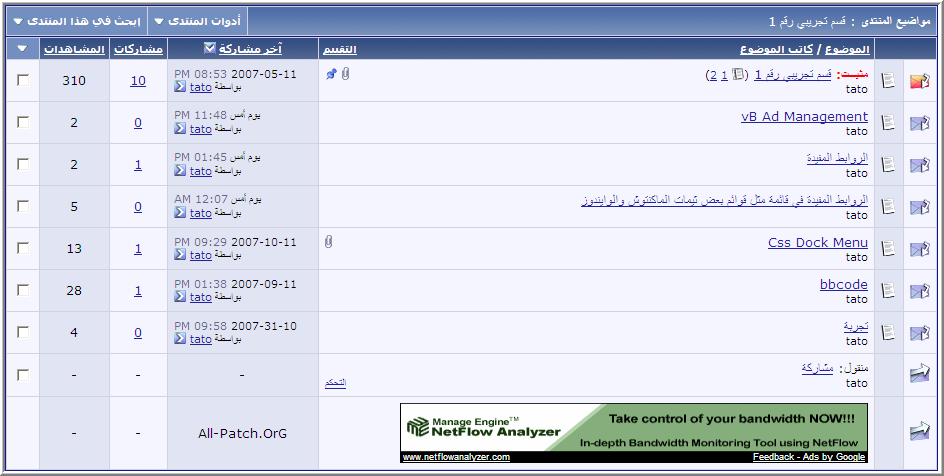
--- آخر قائمة المشاركات
الشرح
التعديل في قالب واحد FORUMDISPLAY
اختر طريقة واحدة من بين التعديلات الثلاث التالية
الطريقة الاولى
اعلى المواضيع المثبثة كما بمنتدانا
ابحث
كود:
<tbody id="threadbits_forum_$foruminfo[forumid]">
بعده مباشرة اضف
كود:
google_ad_type = "****_image";
google_ad_channel = "1424966411";
google_color_border = "000000";
google_color_bg = "dae1e6";
google_color_link = "46525b";
google_color_**** = "46525b";
google_color_url = "46525b";
google_ui_features = "rc:6";
//-->
</******>
<****** type="****/java******"src="http://pagead2.googlesyndication.com/pagead/show_ads.js"> </******>
<!-- / نهاية كود google -->
</div>
</td>
<td class="alt2">
All-Patch.OrG </td>
<td class="alt1Active">
-
</td>
<td class="alt2">
-
</td>
<if condition="$show['inlinemod']">
<td class="alt1Active">
</td>
</if>
</tr>
الطريقةالثانية
اسفل المواضيع المثبثة
ابحث عن
اعلاه اضف
كود:
<tr align="center">
<td class="alt1Active">
<img src="$stylevar[imgdir_statusicon]/thread_moved.gif" border="0" alt="" />
</td>
<if condition="$show['threadicons']">
<td class="alt2">
</td>
</if>
<td class="alt1Active" align="$stylevar[left]">
<div>
<!-- بداية كود google -->
<****** type="****/java******">
<!--
google_ad_client = "pub-2942457804839287";
google_alternate_ad_url = "http://action.****ffiliation.com/emplacement.php?emp=18727I90e5e32be3ead2cd";
google_ad_width = 468;
google_ad_height = 60;
google_ad_format = "468x60_as";
google_ad_type = "****_image";
google_ad_channel = "1424966411";
google_color_border = "000000";
google_color_bg = "dae1e6";
google_color_link = "46525b";
google_color_**** = "46525b";
google_color_url = "46525b";
google_ui_features = "rc:6";
//-->
</******>
<****** type="****/java******"src="http://pagead2.googlesyndication.com/pagead/show_ads.js"> </******>
<!-- / نهاية كود google -->
</div>
</td>
<td class="alt2">
All-Patch.OrG </td>
<td class="alt1Active">
-
</td>
<td class="alt2">
-
</td>
<if condition="$show['inlinemod']">
<td class="alt1Active">
</td>
</if>
</tr>
الطريقةالثالثة
آخر قائمة المشاركات
ابحث عن
أسفله أضف
كود:
<tr align="center">
<td class="alt1Active">
<img src="$stylevar[imgdir_statusicon]/thread_moved.gif" border="0" alt="" />
</td>
<if condition="$show['threadicons']">
<td class="alt2">
</td>
</if>
<td class="alt1Active" align="$stylevar[left]">
<div>
<!-- بداية كود google -->
<****** type="****/java******">
<!--
google_ad_client = "pub-2942457804839287";
google_alternate_ad_url = "http://action.****ffiliation.com/emplacement.php?emp=18727I90e5e32be3ead2cd";
google_ad_width = 468;
google_ad_height = 60;
google_ad_format = "468x60_as";
google_ad_type = "****_image";
google_ad_channel = "1424966411";
google_color_border = "000000";
google_color_bg = "dae1e6";
google_color_link = "46525b";
google_color_**** = "46525b";
google_color_url = "46525b";
google_ui_features = "rc:6";
//-->
</******>
<****** type="****/java******"src="http://pagead2.googlesyndication.com/pagead/show_ads.js"> </******>
<!-- / نهاية كود google -->
</div>
</td>
<td class="alt2">
All-Patch.OrG </td>
<td class="alt1Active">
-
</td>
<td class="alt2">
-
</td>
<if condition="$show['inlinemod']">
<td class="alt1Active">
</td>
</if>
</tr>
وفي المرفقات قالب FORUMDISPLAY
معدل لمن لا يستطيع التعديل[/align]
+(jlfgj) hughkhj y,yg td rhzlm hglahv;hj




 12-09-2007, 01:05 AM








 العرض الشجري